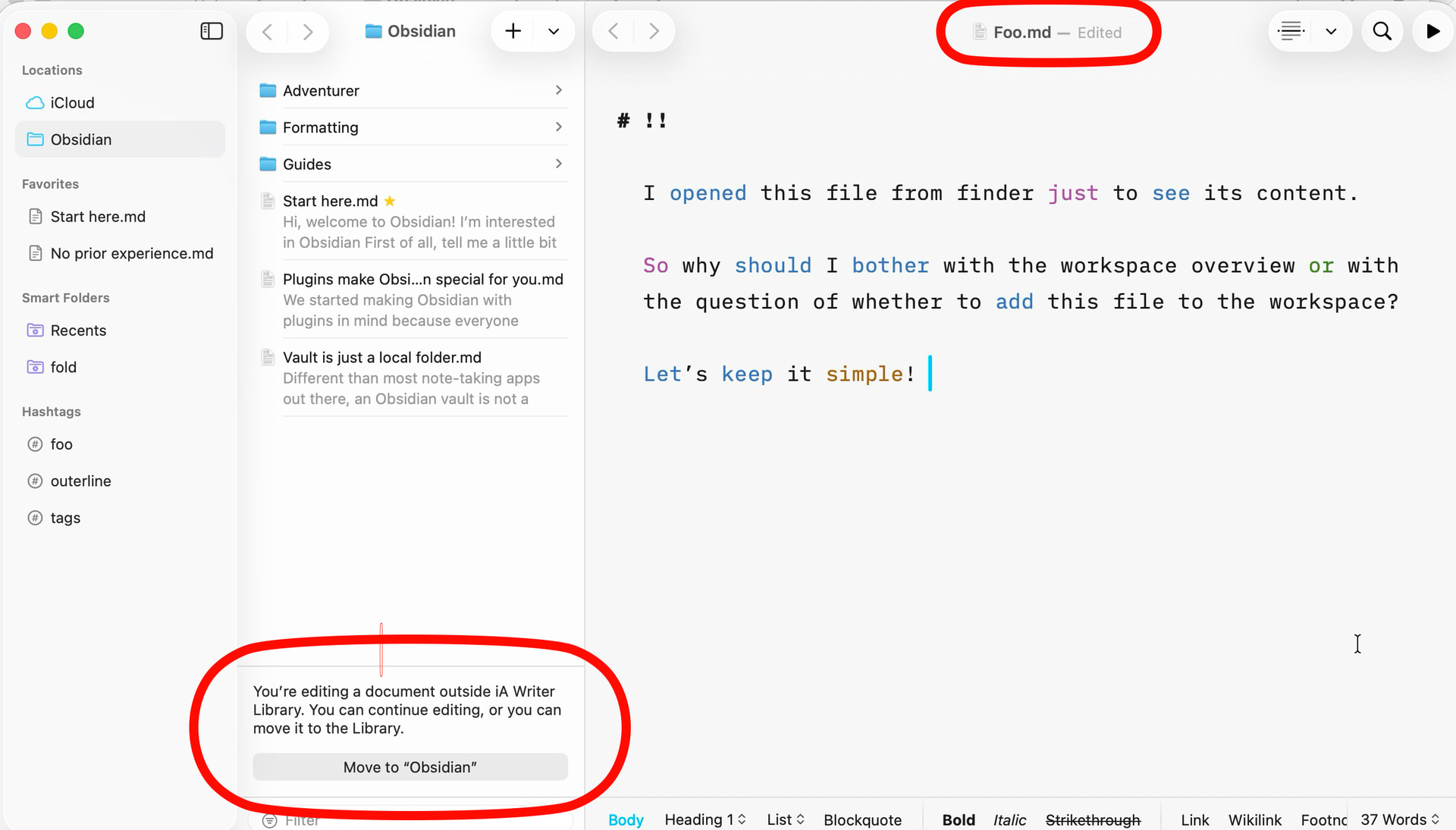
I would expect to see a sidebar showing the opened file’s containing folder, this seems most intuitive to me. If I open a file that’s part of a project folder, it wouldn’t be unreasonable to have quick access to the other project files and folders. This is how Typora works. As it stands I have to jump through hoops to get at my project files.
I see some people here prefer it how it currently is, so make it an option.
What is a project folder and how does it differ from a regular folder? Actually the current implementation (where a sidebar is displayed only when opened from a “lettera” window with a sidebar) is the most logical and the one with the least potential for confusion.
This means that Lettera can still be used just like good old Panda, which is useful for people who simply need a viewer and editor that they can open from the Finder but aren’t interested in managing files within Lettera.
When I open a single file, either from finder or dock item menu, either the opened file is in a open "workspace or not, this single file is always opened in its own window without sidebar. What exactly are you doing?
Then Lettera seems to be the wrong tool for you. Its concept is pretty straightforward.
I guess it depends on each of our mindset, which in turn has been shaped by other programs. Not even iA Writer offers what you expect from lettera. In iA Writer you can create different locations in what’s called the Organizer. In iA Writer’s library on the other hand you can only view and browse the folders and files of a single location. They don’t appear there merged together.
You probably mean the organizer rather than the library. The saved locations don’t appear merged together in one file browser which is called “library” in iA Writers terminology.
As I said then Lettera is the wrong tool for you as it doesn’t meet your expectations. However many users so far like the concept.
I took a quick look at Typora and it seems to work the same way as Lettera. I wasn’t able to open one folder first and then drag and drop another one into it.
Yes, exactly. Your problem isn’t actually that Lettera doesn’t do what you suggested but that the many windows are bothering you.
Here’s a possible workaround that might help you. However this requires that most of your work folders are contained within a common parent folder. You can then open that parent folder in Lettera and use the context menu in the Lettera’s sidebar to open the desired subfolder in its own tab.
If it bothers you not only that each folder opens in its own window, but also that the iCloud folder is, so to speak, the main folder, then according to Matteo, that’s going to change.
But there’s really nothing more I can do to convince you that Lettera might be the right tool for you.
I’ve gone over the discussion between @kirkmc and me again. Would it make sense to have an option so that when you select Main menu -> File -> Open… the folder opens in the currently active Lettera window instead of in a new window? It seems that some users don’t like having so many windows open and would rather stay in a single window as much as possible.
For me the app acts consistently. When I open a file from finder I expect nothing else than a window without sidebar. Look, even though it’s legitimate to have expectations of an app, it’s also okay to expect you to adapt to the app’s design.
So what? Lettera is a new app with its own approach. I am not able to see any better handling than opening a file from finder in its own window without sidebar.
Do you really think iA Writers way is more elegant?
Of course I am. I opened the file just to see its content. Therefore it is a big distraction to see an ui of a whole workspace. I’m going to end this discussion on my end. I feel like someone who’s desperately trying to explain to another person who’s holding a screwdriver that he would be better off using a hammer if he wants to drive a nail into the wall.
Thats not what i meant. When i open a markdown file, either in the Finder or from the lettera file menu, id like the sidebar to be visible and showing the contents of the file’s containing folder.
Then why don’t you open this folder in Lettera? After all that’s exactly what the app is meant for. Lettera is meant to replace Finder. Plus, it also has a feature that lets you open a file from within Finder for viewing and editing. But then the context isn’t relevant anymore. I’m imagining opening a single markdown file in a folder that otherwise contains hardly any markdown files: the context displayed as a workspace would be distracting and unnecessary.
I explained why this is not always possible (sandbox permissions, etc.). So instead we decided to make the the app’s behavior predictable: the sidebar visible only when opening a folder, not when you open a file.
I think, the more I examine how I use text editors (including markdown editors) that support some form of workspace, the more I see I rely on being able to pull multiple folders with different roots into a single project.
I see less value in having to construct a project/workspace on my hard drive first and remember to save anything into that same workspace. Even Finder uses coloured tags to allow for sensible grouping of related items from different places on the hard drive. I see zero value in having to open multiple windows inside one app to achieve the same. That includes needing to have the sidebar displayed at all times if I don’t want to lose track of which folder is open inside each window—Lettera’s title bar currently won’t tell me anything about the file’s whereabouts.
For me, a true workspace-based app is composed of two main parts, the library (where the materials are gathered) and the work table (editor). This extends beyond just text editing (NLEs for example have the same philosophy), and a single-folder-as-workspace philosophy seems very limiting for no apparent benefit.