The total count used to be shown at the top of my Notes list in the sidebar. But I now have tried everything I can think of and the total count is nowhere to be found. Please help
Go to all notes, select all (cmd-A). Works with any sidebar category 
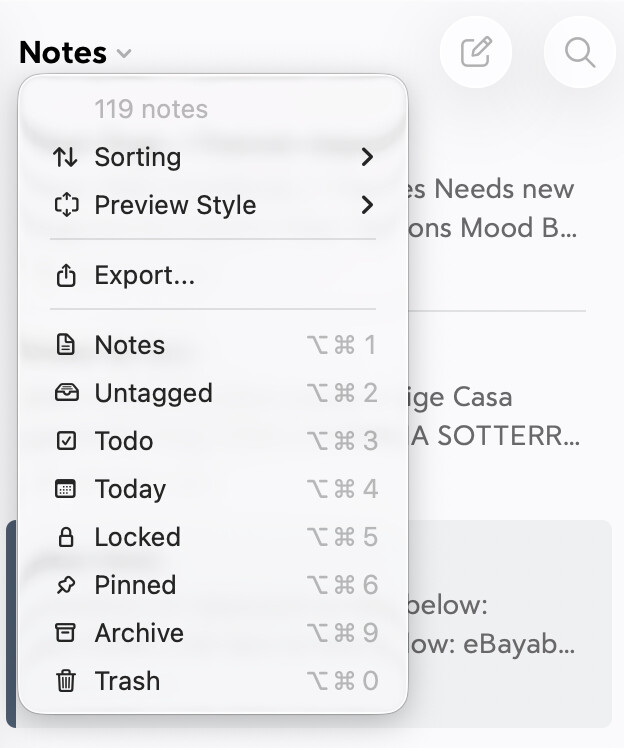
If you click/tap on the note header menu you can read the total number of notes contained in the location selected in the sidebar.
3 Likes
Thanks, KillerWhale, but Comm-A doesn’t do anything for me. But thanks for responding.
Bingo, trix180! You have finally shown me how to find the number of notes in total or in any category. Much appreciated!
1 Like