Operation system:
Mac 15.5
Web Browser:
Chrome
Bug report
What were you doing:
Editing a table cell that is wider than what is displayed in the web version
What feature did you use:
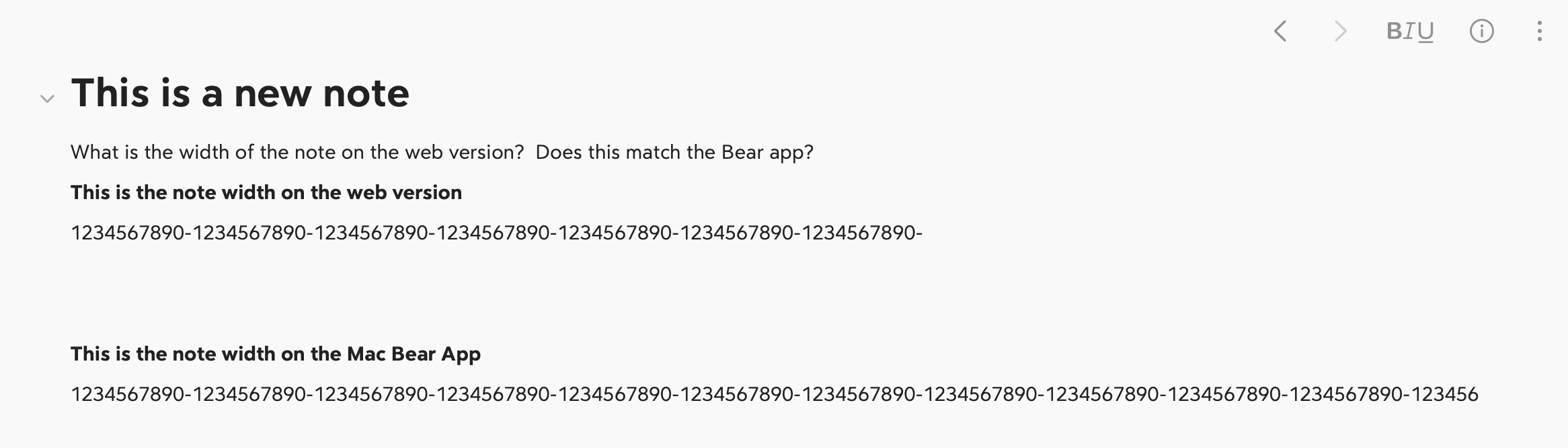
I created a table in the Mac app that has two columns. One column is wider than what can be displayed on the web. When you try to add text to the cell, the text gets added, but one cannot see the beginning of the line (on the far left side of the cell) as the web version displays the far right part of the cell.
What happened:
See above.
What did you expect to happen:
The “best” solution might be to allow for a wider display of text on the web version. Right now, the web version displays text in a rather narrow space. Please allow for wider text on the web; this would then “fix” the issue above as well.
Feedback: